Android App Development
Android is the operating system that runs on most of the phones people use every day. If you own a Samsung, Xiaomi, OnePlus, or a Google Pixel phone, you are using Android. Because so many people around the world use Android phones, building an app for Android is one of the best ways to reach a huge number of users.
But making an app is not just about writing code. It involves planning an idea, designing how the app looks, writing the code, testing it to make sure it works, and finally publishing it so people can download it. This guide explains all of these steps in simple words, so anyone — even a complete beginner — can understand how Android apps are made.
Why People Choose to Build Android Apps
A Huge Number of Users
Since so many phones run Android, an app built for Android can be used by people almost everywhere in the world, including in countries where phones are cheaper and more common.
More Freedom for Developers
Android lets developers do more things with the phone’s hardware, like the camera, GPS, and sensors, compared to some other operating systems. This gives developers more room to be creative.
Easier and Cheaper to Publish
Putting an app on the Google Play Store costs less money and is usually quicker than publishing on some other app stores. This makes it easier for beginners and small teams to get started.
Works on Many Devices
The same Android app can often run on phones, tablets, smartwatches, TVs, and even in cars. This means one app can reach people using many different types of devices.
What Programming Languages Are Used to Build Android Apps?
Kotlin
Kotlin is the language Google now recommends for building Android apps. It is easier to read, has fewer mistakes, and is simpler to write compared to older languages. Most new Android apps today are built using Kotlin.
Java
Java was the very first language used to build Android apps. Many older apps and systems still use Java today, so it is still useful to learn, especially if you are working with an older app.
C and C++
Sometimes, developers need their app to run extremely fast, like in games. In these cases, they use C or C++ for certain parts of the app, alongside Kotlin or Java.
Dart (with Flutter)
Flutter is a tool made by Google that lets developers write one set of code that works on both Android and iPhone apps. It uses a language called Dart. This saves time because developers don’t have to build two separate apps.
Tools You Need to Build an Android App
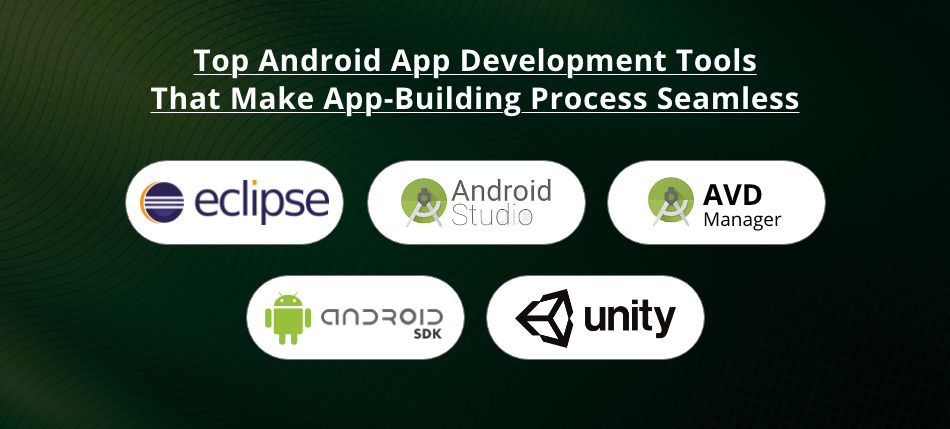
Android Studio
Android Studio is the main program developers use to build Android apps. It is free and made by Google. It includes everything needed to write code, design screens, and test the app.
Android SDK
The SDK (which stands for Software Development Kit) gives developers the tools and instructions needed to use phone features like the camera, GPS, and notifications inside their app.
Gradle
Gradle is a tool that helps put all the pieces of an app together and turns the code into a file that can be installed on a phone.
Emulators and Real Phones
Before releasing an app, developers test it using an emulator, which is like a virtual phone on the computer. It is also important to test the app on a real phone, since some problems only show up on actual devices.
Git
Git is a tool that helps developers keep track of changes they make to their code. It is especially helpful when a team of people are working on the same app together.
How an Android App Is Structured
Screens and Reusable Parts
In Android, a full screen in an app is called an “Activity.” A smaller, reusable piece of a screen is called a “Fragment.” Developers use these building blocks to create the different pages inside an app.
Common Ways to Organize Code
- MVC: An older method where data, the screen, and user actions are handled separately.
- MVP: Similar to MVC, but easier to test because it separates the screen from the logic even more.
- MVVM: The most popular method today. It keeps data safe even when the screen rotates or changes, and works well with modern Android tools.
Jetpack Tools From Google
Google created a set of helpful tools called Jetpack to make building apps easier. Some important ones include:
- Room: Helps store information on the phone, like a simple database.
- ViewModel and LiveData: Help manage information on the screen so it updates correctly.
- Navigation Component: Makes it easier to move between different screens in an app.
- WorkManager: Helps run tasks in the background, even if the app is closed.
- Jetpack Compose: A newer way to build the app’s design directly using Kotlin code instead of separate design files.
Designing an App People Will Enjoy Using
Following Material Design
Google created a design style called “Material Design.” It gives rules for how buttons, colors, spacing, and animations should look so that apps feel familiar and easy to use.
Fitting Different Screen Sizes
Since Android phones come in many sizes, from small phones to large tablets, developers must design apps that look good no matter what size screen is being used.
Making Apps Easy for Everyone to Use
Good apps are designed so that people with vision, hearing, or movement difficulties can still use them easily. This includes using clear text, good color contrast, and large buttons that are easy to tap.
The Steps to Build an App
Step 1: Come Up With an Idea
Every good app starts with a clear idea of what problem it will solve and who will use it. Developers often research what similar apps already exist before starting.
Step 2: Design the App
Before writing any code, designers sketch out how the app will look and work using tools like Figma. This helps everyone see the plan before building begins.
Step 3: Write the Code
This is where developers actually build the app, connect it to any needed information from the internet, and add all the features it needs.
Step 4: Test the App
Developers check the app carefully to make sure it works properly and doesn’t have bugs or crashes.
Step 5: Publish the App
Once the app is ready, it gets uploaded to the Google Play Store so people can download and use it.
Step 6: Keep Improving the App
After the app is live, developers continue to fix problems, add new features, and make sure it still works well as phones and Android versions change over time.
How Apps Are Tested
Unit Testing
This means testing small pieces of the code by themselves to make sure each part works correctly.
UI Testing
This checks that buttons, menus, and other parts of the screen respond correctly when a person taps or interacts with them.
Beta Testing
Before releasing an app to everyone, developers often let a small group of people try it first to find any problems that were missed.
Checking Speed and Battery Use
Developers also check that the app doesn’t use too much battery or slow down the phone while it’s running.
How to Publish an App on the Google Play Store
- Create a Developer Account by paying a small one-time fee to Google.
- Prepare the App Listing, including a description, screenshots, and an icon.
- Choose Pricing and Countries, deciding if the app is free or paid, and where it will be available.
- Follow Google’s Rules, making sure the app meets privacy and content guidelines.
- Submit for Review, where Google checks the app before allowing it to go live.
- Track How the App Is Doing, using tools that show downloads, crashes, and user reviews.
Ways to Make Money From an App
Showing Ads
Many free apps make money by showing ads to users, usually through a service like Google AdMob.
Selling Items Inside the App
Apps can sell extra features, characters, or content directly inside the app itself, which is common in games.
Subscriptions
Some apps charge a monthly or yearly fee for continued access, which is common for apps like streaming services or fitness trackers.
Free With Paid Upgrades
This is called a “freemium” model, where the basic app is free, but users can pay for extra features or to remove ads.
Charging Once to Download
Some apps simply charge a one-time price to download, especially if the app offers something special or professional.
Common Problems Developers Face
Too Many Different Devices
Because so many companies make Android phones, developers need to make sure their app works well on many different screen sizes and hardware types.
Battery and Speed Issues
If an app is not built carefully, it can use too much battery or make the phone slow, so developers must be careful with how the app uses resources.
Keeping User Information Safe
Apps need to protect user data properly, especially with growing rules around privacy in many countries.
Keeping Up With Android Updates
Google regularly updates Android with new rules and features, so developers must update their apps to keep working properly.
What’s Next for Android Apps
Building for Both Android and iPhone at Once
Tools like Flutter and React Native let developers build one app that works on both Android and iPhone, saving time and effort.
Apps That Use Artificial Intelligence
More apps now use AI features like recognizing pictures, understanding speech, or suggesting things based on what a user likes.
Designing for Foldable Phones
As foldable phones become more common, developers are learning to design apps that adjust automatically when the screen folds or unfolds.
Faster Internet With 5G
With 5G networks becoming more common, apps can now stream videos faster, support real-time games, and offer smoother online features.
More Focus on Privacy
As people care more about their personal data, developers are designing apps that collect less information and are more transparent about what they use.
Simple Tips for Beginners
- Learn the basics first. Get comfortable with Kotlin before moving on to harder topics.
- Build real apps, not just examples. Practicing with your own small projects teaches you more than just reading.
- Use Google’s official guides. They are kept up to date and are one of the best places to learn correctly.
- Join developer communities. Talking to other developers can help you learn faster and solve problems more easily.
- Keep learning new tools. Android changes often, so staying updated helps you stay skilled.
- Always think about the user. No matter how good your code is, the app should be easy and enjoyable for people to use.
Final Thoughts
Building an Android app takes more than just writing code. It means understanding your users, planning carefully, designing a clean and simple interface, and testing everything before sharing it with the world. As Android keeps changing and adding new tools, anyone willing to keep learning can build apps that are useful, enjoyable, and reach people all around the world.